
50 GTA 6 Features I Found in 5 Days (The Game Never Explains These)
All 50 features are shown in the embedded video, compiled from Creative Commons Attribution (CC BY) gameplay by DPJ, How to Everything, LunarGaming, Nippton Games, H4Community, Ftug - No Copyright Gameplay, Mateo Roblox and DEATHSHOT GAMING, with licenses re-checked November 23, 2026. Items marked (players found) come from the community, not an official Rockstar feature list. The Controller Cop Scanner toggle is confirmed in the Audio menu; what it does is reported, not tested on every controller. No story spoilers.
Quick answer
Change a few settings first (Classic or left-stick sprint, Default Movement Speed set to Run, and the fishing reel style if spinning the stick is driving you nuts). Bank cash in BuckMe, move money into Family Savings before the Chapter 1 reset, and sell stash bags to a fence before you get Wasted or Busted. Register stolen cars with Moses, scan them with WAiNK for trackers, and call Joey instead of walking back to a wreck. Players also found an early Maverick and a Chapter 1 tank at Mile Zero Air Station — the tank has a military tracker, so you can't keep it.
On this page 8
Screenshots from our own playthrough get added here as we play.
Five days into GTA 6, these are the 50 things we wish the game had told us on day one. Every one is shown in the video above. Items marked (players found) come from the community, not an official Rockstar feature list. No story spoilers. The matching long-form, 50 GTA 6 Features I Found in 5 Days (The Game Never Explains These), is embedded at the top of this page.
Join our Discord for daily GTA 6 tips, tricks and strategies, plus early access to our roleplay server when it launches: https://discord.gg/8UG7YFjy2G
Settings worth changing (#1-7)
1. Sprint Moved
Sprint moved. In GTA 6 you sprint by clicking the left stick, not by tapping a button over and over like GTA 5. That's why so many people keep jumping or crouching when they try to run. If it feels wrong, open Settings, then Controls, and look at the control scheme. You'll find a Classic layout for the old style, plus a left-handed option, and the screen shows you a preview of every button before you commit. We walk through the switch in GTA 6 changed sprint — fix your controls.
2. Auto-Run
Auto-run. Under Gameplay, find Default Movement Speed and set it to Run. Now just pushing the stick makes Jason jog instead of strolling like he's window shopping. You still hit sprint for full speed, but you stop crawling around town between missions. There's a separate combat movement speed right under it, so you can keep that one quicker for fights. If you hate holding the stick all the way forward, this one setting fixes the whole feel of the game.
3. Pick Your Aim
Pick your aim style. The Targeting section gives you Lock On, Partial, or Free Aim, and there's an aim response curve and a lock-on time too. Playing mostly for the story? Lock On with a bit of aim assist feels great and keeps shootouts quick. Want it harder, or you're used to sticks from other shooters, go Free Aim and turn the assist down. You can also set how long lock-on sticks to a target before it lets go, and there's a separate shooting assist for drive-bys, which helps a lot when you're aiming from a moving car.
4. Fishing Fix
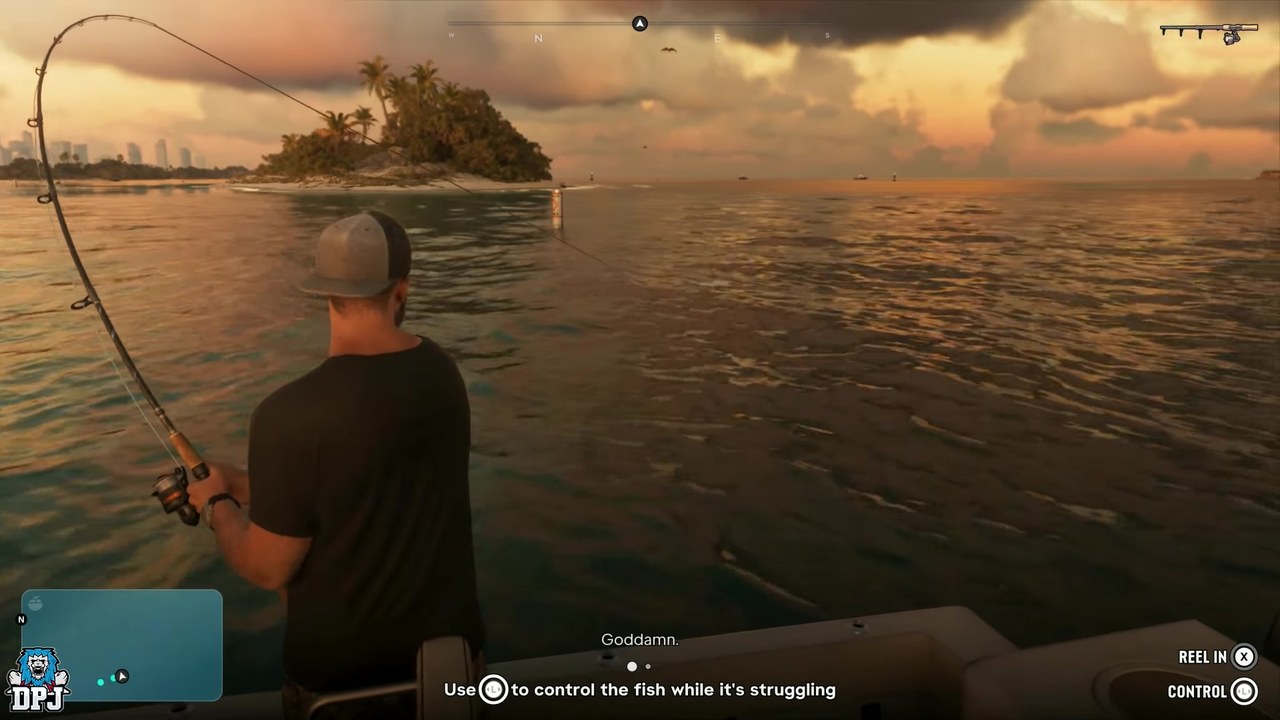
If fishing is driving you nuts, there's a setting for that. Go to Gameplay and scroll all the way down to Fishing. The default has you spinning the right stick in circles to reel. Switch the reel style and you hold or tap a button instead. It makes fishing way more relaxing, and your thumb will thank you. There are three reel options in total, so try each one on your first cast and keep whichever feels natural.
5. Mute Licensed Music
In the Audio settings there's a Mute Licensed Music switch. If you stream or post clips, turn it on, so the real songs on the radio don't get your videos claimed. You still get the game's sound and dialogue, just without the licensed tracks.
6. Bigger Minimap
Under Navigation, set the minimap to Dynamic and the size to Large. Large makes the roads and icons way easier to read when you're flying down the highway. If the map ever feels cluttered, the blip size options are right there too.
7. Cop Scanner (setting confirmed; effect reportedly)
The Audio menu also has a Controller Cop Scanner toggle. Reportedly it plays police radio chatter through your controller, so you hear the cops talking when the heat is on. We haven't tested it on every controller, so flip it on and try it yourself.
Your phone and your bank (#8-14)
8. WAiNK Car Scan (players found)
Point the WAiNK app at a car. It pulls up the car's specs, and it also tells you what you need to steal it. A lot of the high-end cars stay locked behind story progress, so scan first, instead of wasting a whole wanted level on a car you can't even take yet. It works on parked cars too, so walk up, scan, and you'll know straight away if it's worth the trouble.
9. Phone Camera
Your phone camera does selfies and video, and Snapmatic is the in-game social feed where your shots end up, like the game's own Instagram. Your gallery keeps everything you snap. And Photo Studio in the pause menu is a separate, full photo mode, if you want the really clean shots.
10. BuckMe + ATM Finder
BuckMe is your bank app. It shows your checking balance, and it has an ATM Finder that points you to the closest machine on the map. Open it after every job, so you always know what you've actually got saved.
11. Deposit At Any ATM
Cash in your pocket isn't safe. Walk up to any ATM, hit Deposit, pick an amount, confirm, and it moves into your account. Gas stations and stores usually have one out front, so it only takes a few seconds on the way home. And if you're ever short at a store, you can withdraw at the same machines.
12. Family Savings (players found)
Inside BuckMe there's also Family Savings. Players found it's the money that survives the big Chapter 1 reset, with a goal of five thousand dollars, so move cash in there before you push the story. You won't regret it later. The full cutoff and how to move the money are in what happens to your money after Chapter 1.
13. Call Joey (players found)
Stranded miles from your car? Don't walk back. Open Contacts and call Joey the mechanic. Ask him to bring the car round, and when the call ends, your own car is parked nearby and already repaired. This only works for a car that's actually yours. You'll find him in your Contacts list. It saves you a long walk. More on Joey, the impound, and Scooter Bros is in how to get your car back in GTA 6.
14. Talk To Anyone (players found)
You can talk to people. Walk up to someone and hold the left trigger, and you get conversation options on screen. Pick one and keep it going. Some people chat right back, some barely give you the time of day, and some will keep the conversation going.
Money and heat (#15-21)
15. Floorboard Stash
Jason's bedroom has loose floorboards. Look down at the floor until the prompt shows up, and you can hide cash under there. It's the first stash you get, and it's safer than your pockets.
16. Busted = Broke (players found)
Get busted or wasted with cash on you, and you lose it. The police don't care that you just worked hard for it. So every time you get paid, bank it, or stash it, before you start the next thing.
17. Bags Aren't Cash (players found)
Loot in a bag isn't money yet. Marked bills and product only pay out once a fence buys them, and different buyers can pay different amounts. And if you go down on the way, the bag is gone, so drop it off before you go looking for more trouble. On the map, the different buyers show up as icons, so check who pays more before you drive across the state. We walk through one early run in the $13,000 warehouse east of Hamlet.
18. Focus Finds The Code
Robbing a store? Safe codes change between robberies, so code lists online won't help you. Aim at the clerk for the Threaten prompt. Then hit Focus, that's both sticks, and the game shows you which staff member might know the code. Then threaten them. Some codes are also written down at the location, so look around the back room before you start threatening anyone.
19. Kill The Cameras
See the camera up top? Shoot it out before you do anything else. Got caught on tape anyway? Find the recorder behind the counter and destroy the footage before you leave. No tape, way less heat.
20. Swap Your Fit
Cops remember what you were wearing. After a job, swap your hat or glasses from the items wheel, and watch for the notice: Appearance heat cleared. Now you're just someone in a tank top at the gas station. The full clean-walkout route is in how to rob stores in GTA 6 and walk out clean.
21. Cheap Repairs (players found)
Players found gas stations will fix your car for a lot less than a garage. So if your ride is smoking after a chase, pull in at the pumps and use the service there.
Cars (#22-32)
22. Auto Drive
GTA 6 can drive for you. Set a waypoint on your map first. Then while you're driving, hold down on the D-pad and enable Auto Drive. Now Jason drives himself. The triggers switch between three speeds, and when you want control back, hold the button again to take the wheel. It's perfect for long drives across the map, and you can still look around while Jason handles the road.
23. Windows + Roof
One more hidden menu. Hold left on the D-pad for the radio wheel, then flick the right stick up to Vehicle. You can open the roof or roll the windows down right from your seat.
24. Your Car Keeps Loot (players found)
Anything stored in a car that's registered to you stays in it, even stash bags and long guns. Loot sitting in a car that isn't yours is a different story. Get busted, die, or reload, and it's gone. So do jobs in your own car.
25. Moses Registers It (players found)
In Chapter 2 you meet Moses. Bring him a stolen car and he'll register it to you and change the plates, so it stops being a hot car. Pay the fee once, and it's yours for good. The garage is a proper spot on the map, so pull in, and the menu gives you register or sell.
26. Key Cloner (players found)
Better cars need a key cloner, not a brick through the window. Once you've got it, you can drive off in way more of the cars you see on the street.
27. Trackers (players found)
Some cars have trackers. Moses can deal with a regular tracker. Advanced trackers ping the cops, so for a good while, those are joyrides, not keepers. Have fun with them, then ditch them. If a car pings the cops the second you take it, that's an advanced tracker, so don't waste your time trying to save it. For the tools, trackers, and registration steps, see our guide to stealing cars in GTA 6.
28. Impound
Car got towed? Check the map under Vehicles. It's sitting at the impound lot, and you can go get it back. The game even tells you any Pay and Spray or mod shop can fix the damage.
29. Flip Your Car (players found)
Car stuck on its roof? Don't call a tow, and don't walk away from it. Walk right into it, and a prompt pops up to roll it back over. Players found this one by accident, and it works.
30. Push The Jet Ski (players found)
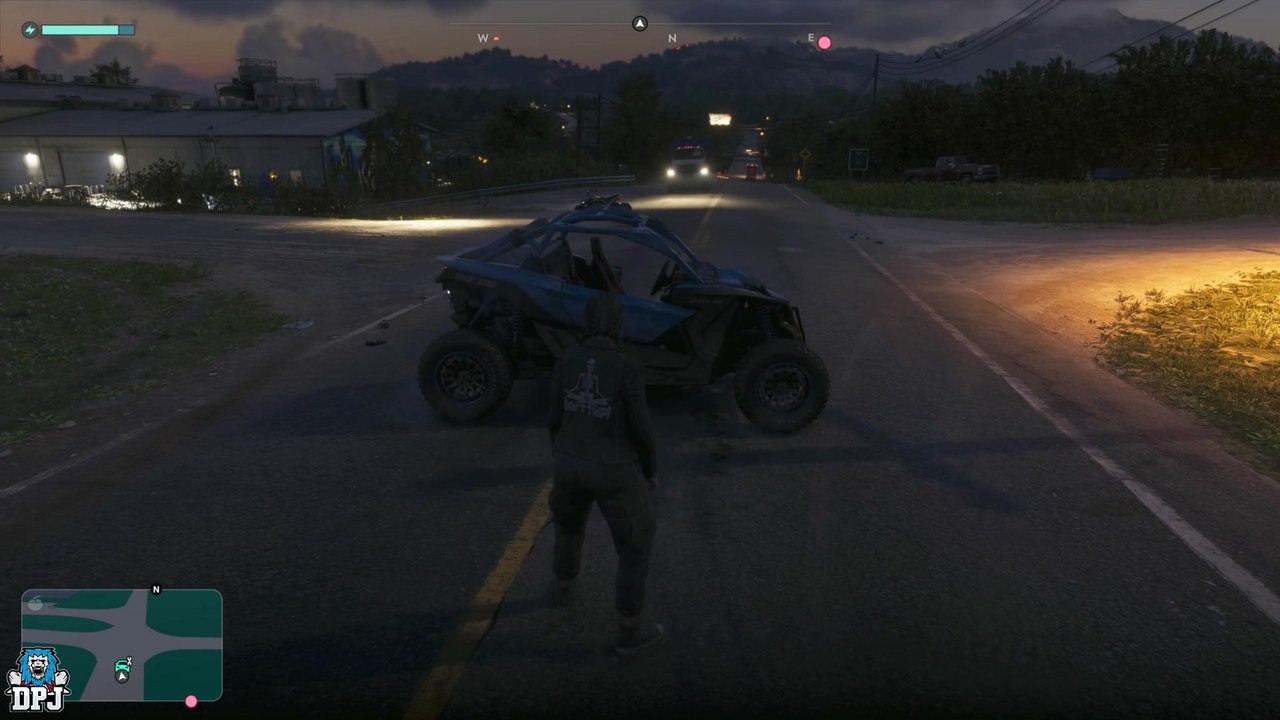
Same trick on water. Beached your jet ski on the sand? Run into it and push it back into the sea, and you're riding again.
31. Deep Mod Shops
Mod shops go deep. Paint and wraps, wheels and tires, spoilers, lights, and even the interior, right down to the steering wheel. You can spend a long time in here. Each change shows the price before you buy it, so you can mess around and only pay for what you like.
32. Sell Or Keep (players found)
Don't want to keep a car? Moses buys cars too. Check what he pays against what registering costs before you decide. Sometimes keeping it is the better deal.
Gear and life (#33-41)
33. Trunk = Armory (players found)
You only carry two long guns now, plus sidearms, one melee weapon, and a throwable. Everything else lives in your car's trunk. Open the trunk to load up or swap guns, so keep your ride close before a fight. Dropped a gun you own? It goes back to the trunk, so you won't lose it.
34. Weapon Mods
At Ammu-Nation, hold the left trigger and pick Weapons and Mods. Barrels, grips, optics, lights, magazines, suppressors, and colors. A good sight or a suppressor really changes how a gun plays. Mods cost money, but they show up right on the gun model as you scroll, so you can see the look before you pay.
35. Check The Store Tab
Got an edition with extras? The Store tab in the pause menu shows every bonus item, and the chapter it unlocks in. So if something is missing, check there before you think it's bugged.
36. Saved Outfits
Your wardrobe saves full outfits, and you can name them from a list of options. Keep a clean one ready for after a job, so changing takes one button.
37. Try Before You Buy
In clothing stores you try stuff on before you pay. Hats, shirts, the whole fit, with the price right there on screen.
38. Barbers
Barbers change your hair and facial hair, and you see a preview on Jason before it's done.
39. Fix Up The House (players found)
Jason's place isn't stuck the way it is. You can fix it up around the house, and even paint the rooms a new color.
40. Sleep To Skip Time (players found)
Need it to be morning? Get into bed at home to skip time. It's great for jobs that only open at certain hours, or when you just want to skip the dark.
41. Feed The Snake (players found)
Players found your Focus refills from little things, like helping people and feeding your pet snake. Yes, Jason has a snake. Don't forget about it.
The world (#42-50)
42. How To Land A Fish (players found)
Actually landing a fish. When it bites and starts pulling, push the left stick the opposite way it's going. When the bubbles stop, reel it in. Bubbles come back, fight it again. Keep doing that until it's at the boat. Once it's out of the water, you can keep it or throw it back.
43. Binoculars
Binoculars let you study animals from far away. Birds, gators, deer. There's wildlife all over Leonida, and you can watch it without scaring it off. Some animals only show up in certain areas, so if you're chasing a full list, bring the binoculars everywhere.
44. Kayaks
There are kayaks. Paddle the rivers nice and slow, pass under the bridges, and just take in the view. It's one of the most relaxing things in the game.
45. Scuba Diving
Some boats carry scuba gear. Suit up on the back deck and dive straight in. The water is full of life down there. It's a good way to get away from everything for a minute, and there's a lot to find down there.
46. Climb Everything
You can climb way more than in GTA 5. Walls, pipes, ladders, rooftops, even dumpsters. If it looks climbable, try it.
47. Shoot Hoops
See a hoop outside a house? Grab the ball and shoot around. It's a small thing, but it's there.
48. Meteorite Crater (players found)
Players found a meteorite crater out in the fog near Mount Kalaga. Walk in and scan it with WAiNK.
49. Early Helicopter (players found)
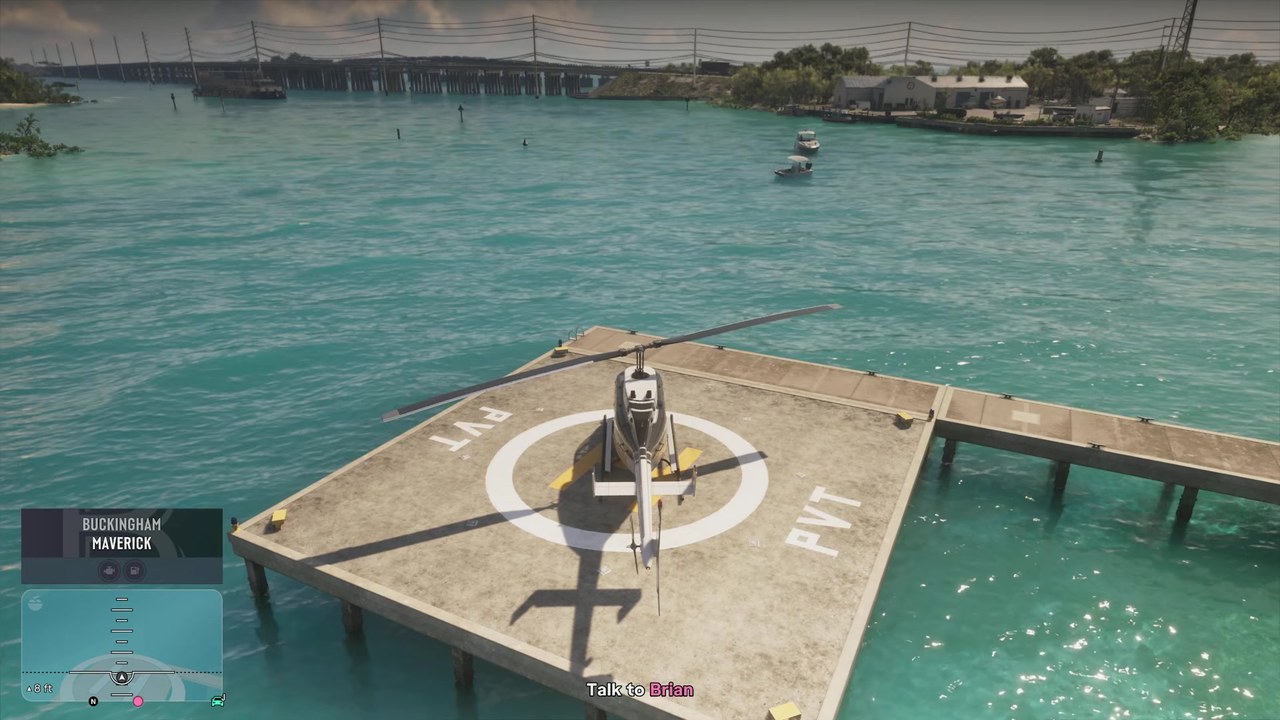
You can grab a helicopter early. Players found a Maverick sitting on a helipad you can reach in the first hours. Walk in through the gate, hop in, and fly. Helipads and airstrips are all over the map, so this won't be the only aircraft you find.
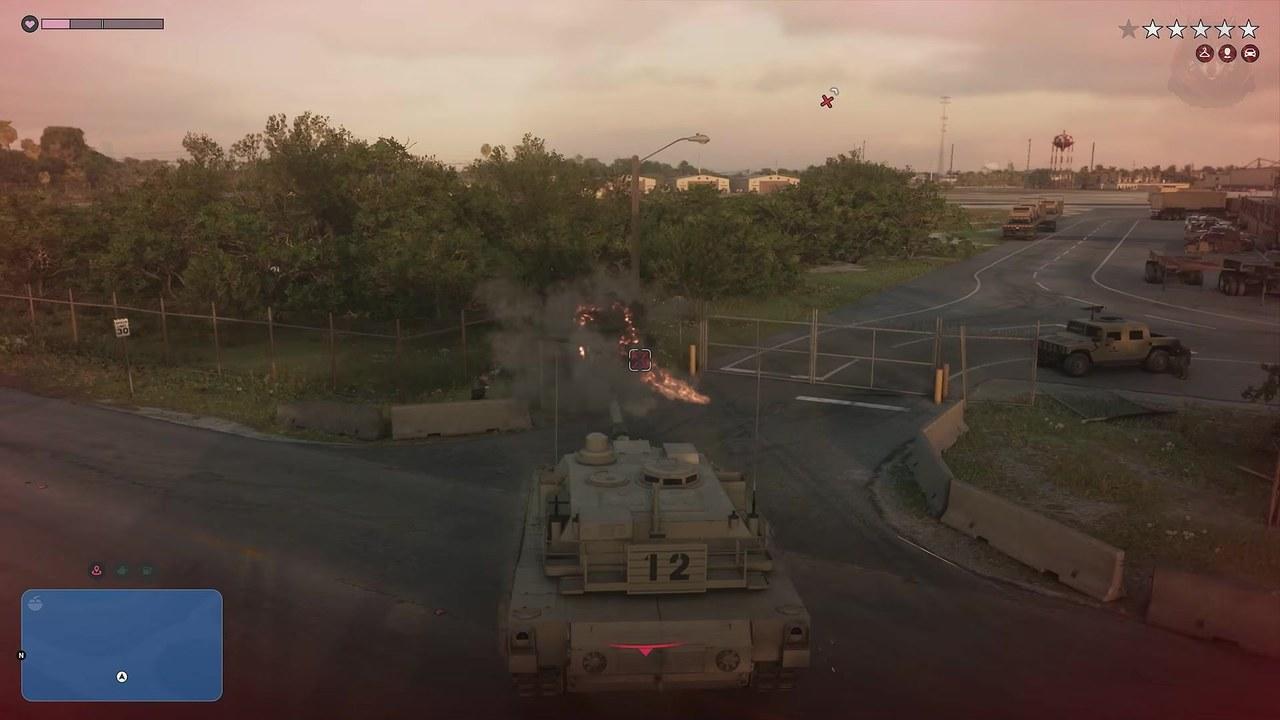
50. Steal A Tank (players found)
Yes, you can steal a tank, in Chapter 1. Rows of them are parked at Mile Zero Air Station. Climb on, pop the hatch, and you're in. Here's the catch: it has a military tracker, so the stars stack up fast, and you can't keep it. Treat it like a rampage, then bail out. You can run the base in it for a while, but the military won't let you leave in peace.
Want more? Check out gta6cheatshq.com for more GTA 6 strategy tips, and join our Discord for early access to our roleplay server.
Video gameplay and images: DPJ, How to Everything, LunarGaming, Nippton Games, H4Community, Ftug - No Copyright Gameplay, Mateo Roblox and DEATHSHOT GAMING (CC BY). Full links for all 38 source videos are in the video description. Images on this page are frames from that footage (DPJ, LunarGaming).
Unofficial fan site, not affiliated with Rockstar Games or Take-Two Interactive.
FAQ
- What settings should you change first in GTA 6?
- Sprint moved to clicking the left stick on the default scheme; switch to Classic in Settings, then Controls, if you want the old GTA 5 layout. Under Gameplay, set Default Movement Speed to Run so walking isn't the default. If fishing feels awkward, change the reel style from spinning the right stick to holding or tapping a button.
- Does Family Savings survive the Chapter 1 money wipe in GTA 6?
- Players found that money moved into Family Savings inside the BuckMe app survives the big Chapter 1 reset, with a goal of $5,000. Pocket cash and stash bags are a different story. See our guide on what happens to your money after Chapter 1.
- Why can't I spend marked bills and cocaine in GTA 6?
- Loot in a bag isn't cash yet. Marked bills and product only pay out once a fence buys them, and different buyers can pay different amounts. If you get Wasted or Busted on the way, the bag is usually gone. We walk through one early run in the Hamlet warehouse guide.
- How do you keep a stolen car in GTA 6?
- Players found that in Chapter 2 you can take a stolen car to Moses, who will register it and change the plates. Scan the car with WAiNK first: some cars have advanced trackers that ping the cops, and those stay joyrides, not keepers. Full tools and registration steps are in our guide to stealing cars.
- Can you steal a tank in GTA 6 Chapter 1?
- Players found rows of tanks parked at Mile Zero Air Station that you can climb into during Chapter 1. The catch: a military tracker means the stars stack up fast, and you can't keep it. Treat it like a rampage, then bail out.
Related guides
- GTA 6 Changed Sprint — Fix Your Controls NOW
- GTA 6: Your Money Gets WIPED After Chapter 1 — Do This First
- GTA 6 Early Money: The $13,000 Warehouse East of Hamlet (And How to Actually Cash It)
- How to Rob Stores in GTA 6 and Walk Out Clean
- Why you can't steal cars in GTA 6 (and how to unlock the Slim Jim and Key Cloner)
- How to Get Your Car Back in GTA 6 (Joey, Scooter Bros and Stolen Cars)
Sources
- GTA 6 News Daily: 50 GTA 6 Features I Found in 5 Days (The Game Never Explains These)
- DPJ: GTA 6 - 10 HIDDEN FEATURES The Game DOESN'T Tell You About! (video gameplay and images, CC BY)
- How to Everything: What To Do FIRST In GTA 6 (Beginner Tips) (video gameplay and images, CC BY)
- LunarGaming: Trying To Steal A Tank & Jet From The Military Base Gameplay In GTA 6 (video gameplay and images, CC BY)
- Nippton Games: GTA 6: Exploring the Rivers by Kayak & Spotting Wild Animals (video gameplay and images, CC BY)
- H4Community: GTA 6 – HOW TO STUDY ANIMALS USING BINOCULARS! (video gameplay and images, CC BY)
- Ftug - No Copyright Gameplay: Gta 6 Playing Basketball (Grand Theft Auto 6) (video gameplay and images, CC BY)
- Mateo Roblox: GTA 6: Best Early Money Making Method (13k in 2 Minutes) (video gameplay and images, CC BY)
- DEATHSHOT GAMING: How to Complete BUCK ME in GTA 6 | Full Mission Walkthrough (video gameplay and images, CC BY)
GTA 6 Cheats HQ Discord
Join the Crew
Day-one help, cheat codes, mission questions, and spoiler-tagged channels so nobody ruins the story for you. Find something in-game? Post it there and we will test it before it goes on the site.